 |
ADTF Qt5
|
|
ADTF Qt5
|
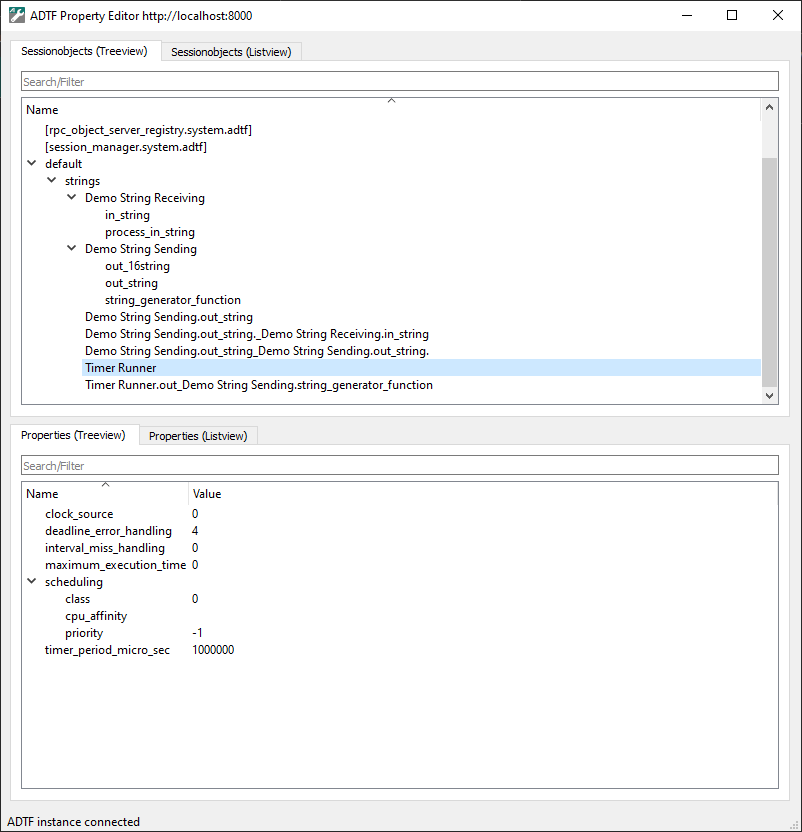
The ADTF Property Editor is a GUI application to manipulate properties at runtime.
It can be connected to a running ADTF Session similiar to the ADTF Control.
Once connected all session objects and properties will be displayed as list and tree views.
.adtfproperties file). For any purpose, please execute the adtf_property_editor with the option --help, which will give you an overview and example usage of available options and commands.
It can be executed standalone or from the ADTF Configuration Editor, when the .adtfenvironment file from this ADTF Qt5 package is loaded.
All session objects and their properties are displayed in a list and a tree view and being updated when a runlevel transition occurs.
Both objects and properties can be filtered for quick navigation.
To show information about a running Session just start the ADTF Property Editor.
If the argument --url is not provided the default URL http://localhost:8000 will be used.